Where does CO2 come from?
Indoor carbon dioxide concentrations are driven by a combination of outdoor CO2, indoor breathing, and the ventilation rate of the building. As buildings and homes become more energy-efficient and airtight, this means we have less fresh air.
Many of the ventilation systems we use today recycle air to conserve energy, essentially moving the contaminated air around rather than cycling in new air. This results in high CO2 concentrations and poor indoor air quality.
Why is it important to measure CO2?
High levels of CO2 are directly correlated to low productivity and high sick leave making this a crucial concern in offices, schools, and home environments.
Studies show that people have a much harder time learning, performing simple and complex tasks, and making decisions, as CO2 levels rise.
What are the effects of high CO2 levels?
Some of the effects of high levels of CO2 levels can be:
- Restlessness
- Drowsiness
- Increased heart rate and blood pressure
- Sweating
- Headaches
How do I lower my CO2 levels?
CO2 levels rise and fall regularly indoors. There are many factors that affect CO2 levels including ventilation, amount of people, and length of time in an enclosed space. Try simply opening a window or a door to the room you are in to generate more airflow to lower CO2 levels.
Fresh air will help you get a better night's sleep. Keep your bedroom door open or try opening a window while you sleep to avoid the "stale" air feeling in your room which is related to increased levels of CO2.
What levels of CO2 are considered safe?
On average the outdoor air contains about 400-420ppm (parts per million) of CO2. This can vary depending on where you live, larger cities may have increased base levels of CO2.
The ideal CO2 levels indoors are under 1000ppm.
Indoor CO2 levels ideally shouldn't rise above 1500 ppm. However, if they do, you should take the necessary steps to ventilate with fresh air by opening a window or opening a door.
CO2 levels above 2000 ppm should be avoided, with longer exposure causing headaches, sleepiness, and stagnant, stale, stuffy air. Poor concentration, loss of attention, increased heart rate, and slight nausea are possible.
How do I install my Airthings Space CO2 sensor?
Here is a short step-by-step guide:
- Remove your Airthings Space CO2 sensor from its box
- Pull the battery tab on the reverse side to power up the sensor
- Place your sensor where required (for more information on placement see next question)
- Wait 7 days for the sensor to complete its initial set up / calibration process
See the Airthings for Business Setup Guide for more information: https://www.airthings.com/business/setup
Where do I place my Airthings Space CO2 sensor?
Place the sensor:
- where you would like to measure CO2! The device itself is recommended to cover (but not limited to) less than 50 square meters
- at an ideal height of between 1.1 - 1.70m (the Breathing Zone)
- on a flat surface like a desk, table or cupboard top; or
- on a wall using a screw for permanent fitting, or use the included 3M adhesive strips
Avoid placement in proximity to:
- large metal objects/cabinets
- doors or windows
- fresh air supply
- sources of heat (i.e. radiators) or humidity (i.e. showers)
- outer walls
How is my Airthings Space CO2 sensor calibrated?
All Airthings products are designed for long-time stability, and to minimise the need for on-site calibration. They intentionally avoid using sensors known for high drift, such as electrochemical cells.
Sensors are built to minimise drift over time, with most making use of smart algorithms that continuously correct for the effects of ageing and mechanical stress.
See the Airthings for Business Calibration Guide here for more information.
Can my Airthings Space CO2 sensor be mains powered?
Yes. A separate USB cable is available to buy. Please contact info@evotechairquality.co.uk
My sensor is not working?
Here are some simple steps to take:
- Check / replace the batteries in the sensor
- Reset the sensor (for more information on how to reset your sensor see next question)
- See the latest troubleshooting guidance from Airthings at https://help.airthings.com/en/collections/2024857-airthings-for-business#troubleshooting
- Contact us for help at info@evotechairquality.co.uk
How to reset your Airthings Space CO2 sensor, view battery level, connection status and serial number?
The reset button is located at the back of the Space CO2 sensor above the batteries and it serves several purposes. Use a pin or thin pointed object to press the reset button.
To reset your Space CO2
To reset your device, press and hold the reset button for approx. 5 seconds.
A countdown will appear on the Space CO2 display.
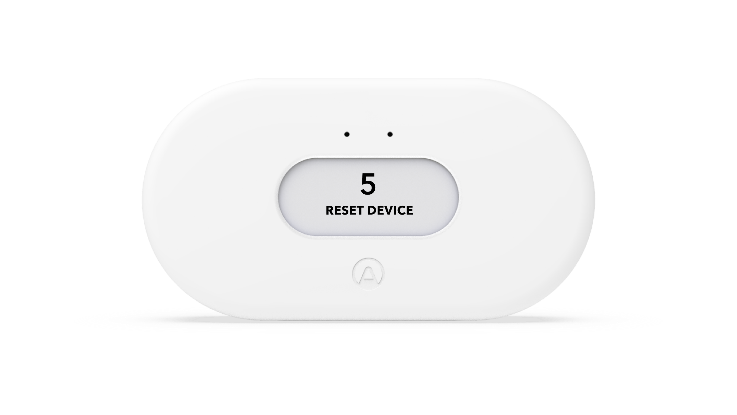
To view more information about your Space CO2
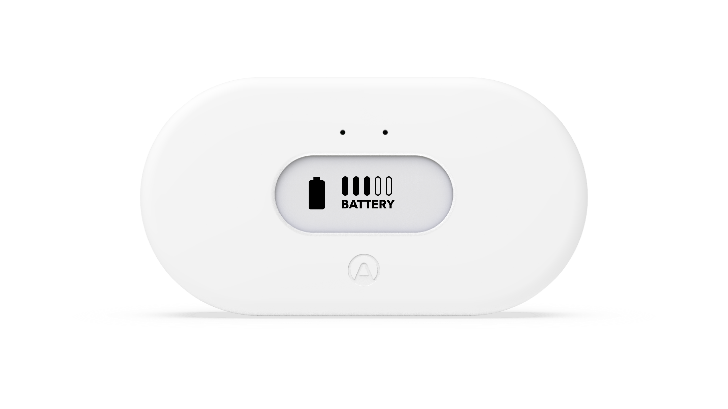
By pressing the reset button each time, you can view the following information:
1st Screen - Battery Level
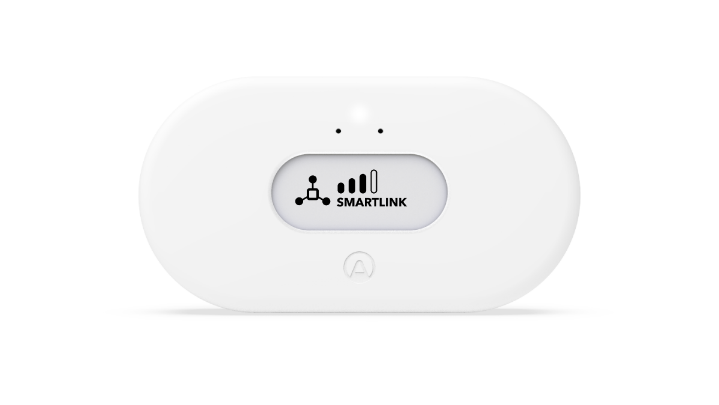
2nd Screen - Smartlink
This is the connection indicator with the Airthings Space Hub, if being used
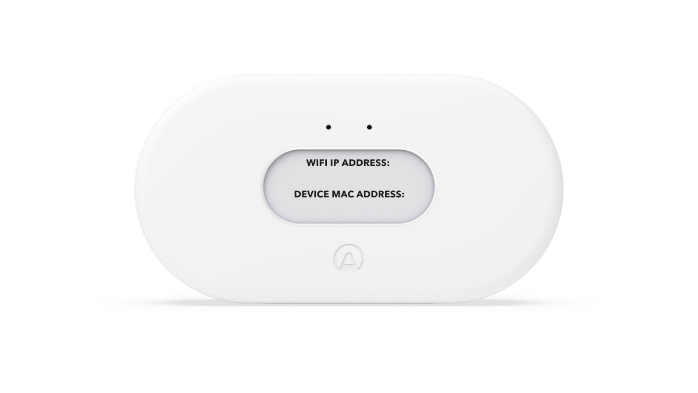
3rd Screen - Wifi IP address & MAC address
Note: because the Airthings Space CO2 sensor does not connect directly to Wifi, these addresses will be empty
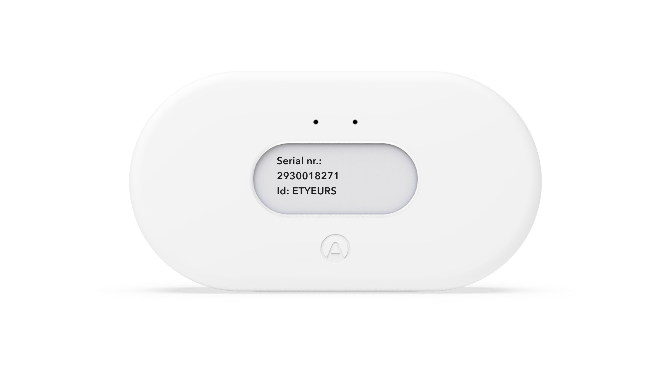
4th Screen – Sensor serial number & pairing code
Note: the serial number is also available on a label at the back of the sensor where the batteries are located
What is Airthings for Business?
The Airthings for Business solution is a smart indoor air quality monitoring system to improve the health and increase the productivity of occupants in buildings, whilst finding an optimum to reduce energy costs.
Introducing the Solution
This is a complete system for remote monitoring of Radon and Indoor Air Quality, comprised of a state-of-the-art Internet of Things (IoT) architecture.
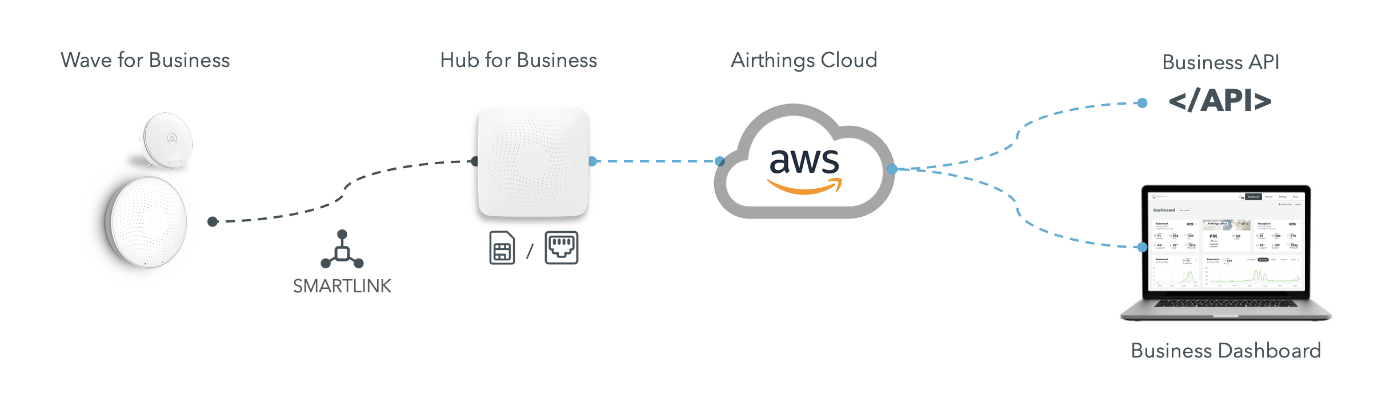
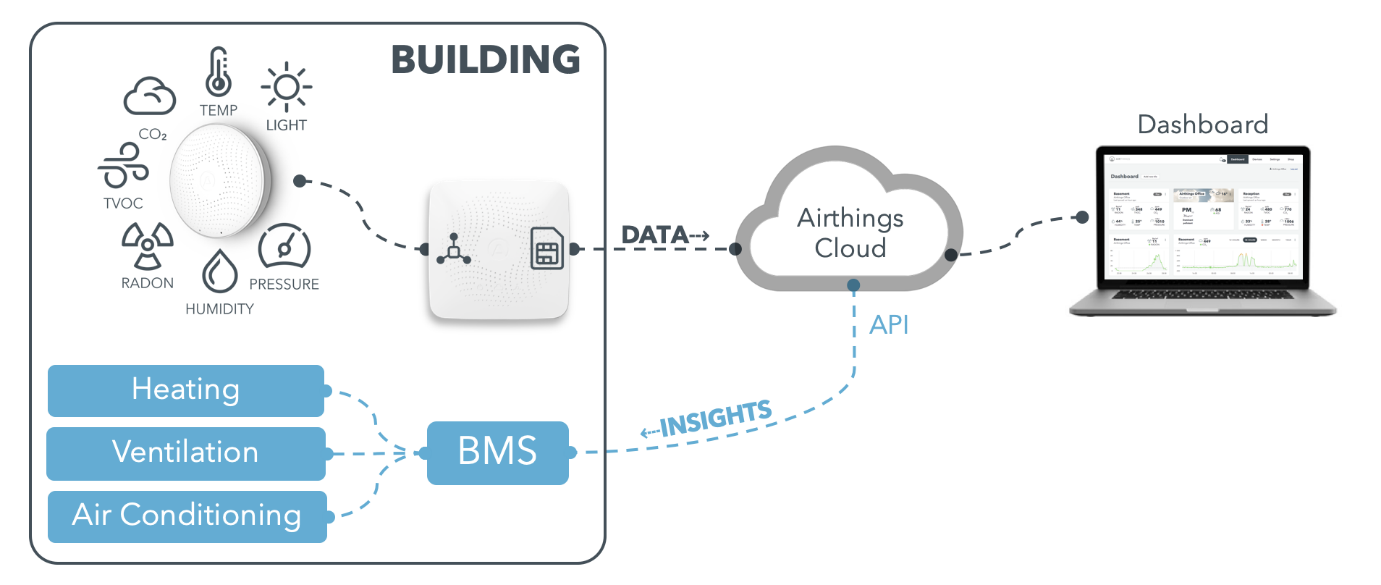
Airthings wireless sensors measure Indoor Air Quality. Depending on the device it will measure Temperature, Humidity, Pressure, CO2, TVOC, Radon, Noise, and also Light. This information is then sent every 5 min to the Space Hub using a proprietary protocol called SmartLink, fully optimised for low power consumption and robustness.
The Space Hub will then use either ethernet or the built-in 3G/4G e.sim to communicate to the Airthings Cloud, implemented with AWS services.
The data is made available through our Business Dashboard or through a third-party solution by making use of the API integration functionality (Webhooks, REST, etc.). This is a pathway towards controlling a building with the sensor data provided by our sensors. We already have Tridium Niagara 4 and IWMAC support, with more to come.
How do I install my Airthings Space Hub?
Here is a step-by-step guide:
- You will receive an invitation email to setup your Airthings Business Account when you purchase an Airthings Space Hub. Set up your account using the on screen instructions. If you do not receive this (check your spam folder), please contact info@evotechairquality.co.uk.
- Log onto dashboard.airthings.com. In the menu on the left, go to buildings and add your building(s) and device(s). For more details about this, read this article.
- Follow the on-screen instructions to register your Hub(s) which should be done first, best practice is to name them with the room number / name where they are going to be installed.
- Remove your Airthings Space Hub from its box, connect the power supply into a suitable mains power outlet, following which the green cloud icon on the Hub will be lit. The Hub(s) will now connect to the Airthings Cloud and download any firmware updates available.
- Now register your Airthings sensor(s) in the dashboard. It can be helpful to put a label on them to identify the rooms where they are going to be installed (don't remove the battery tab on the sensor just yet!). For more details about this, read this article.
- Bring the sensors to the rooms where you want to install them, remove the battery tab, and install them as required. For more details about this, read this article.
- Wait up to 8 hours for the devices to connect to the Hubs and to start sending data to the Airthings Business Dashboard.
- If the device has not registered on the Dashboard then remove the batteries from the device, and replace them after a few minutes to reset the device. Wait a further 8 hours for the device to connect to the Dashboard.
The Hub has 3 lights and they all need to light up:
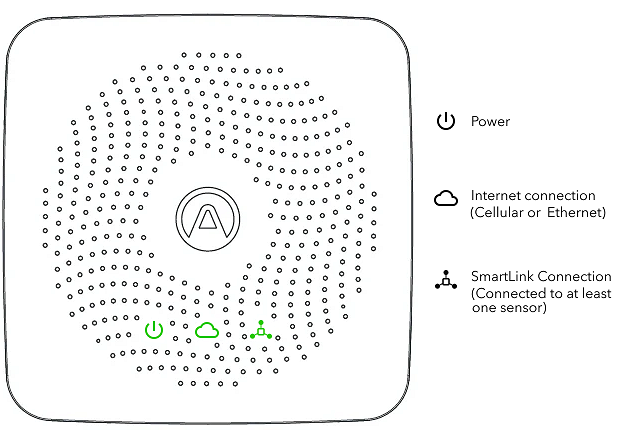
See the Airthings for Business Setup Guide for more information: https://www.airthings.com/business/setup
Good to know:
- The Airthings Space Hub can manage up to 30 devices, but we recommend maximising at 25 devices to ensure a robust network.
- It will take 7 days for the PM, TVOC, CO2 and Radon sensors to self-calibrate. During these 7 days, it should be allowed a best-case scenario (i.e. building is empty)
Where should I place my Airthings Space Hub?
Place your Hub:
- central to where you intend to place your sensor(s) to ensure best connectivity
- position near a mains power outlet
- place on a flat surface like a desk, table or cupboard top; or
- fix on a wall using a screw for permanent fitting, or use the included 3M adhesive strips
What is the Airthings for Business SmartLink?
The communication protocol between Airthings sensors and the Airthings Space Hub is called SmartLink, which is a proprietary protocol designed by Airthings to ensure long range communication with a low power consumption footprint.
The frequency band, depending on the geographic location (due to local regulatory bodies such as FCC and ETSI), based on IEEE 802.15.4g with FHSS, 50kbps is:
- 865-895MHz (EU/ETSI)
- 902-924MHz (US/FCC)
Long range indoor connectivity is typically reliable through 3 thick concrete walls/floors or 10 drywalls in an office building (>1km Line of Sight). Robust link down to received signal strength indication (RSSI) of -90 dBm

How do I use the Airthings Business Dashboard?
Watch the Airthings Business Dashboard Demo at https://www.youtube.com/watch?v=RTbdchZGKeI
My hub is not working?
Here are some simple steps to take:
- Check the power lead / adaptor is correctly installed and working
- Reset the hub by disconnecting the power and then reconnecting it
- See the latest troubleshooting guidance from Airthings at https://help.airthings.com/en/collections/2024857-airthings-for-business#troubleshooting
- Contact us for further help at info@evotechairquality.co.uk
Do I need to buy a licence each year?
The Airthings for Business ecosystem is a SaaS (software as a service) solution, offering users continued system developments and functionality, user support, ongoing cloud connectivity and data storage, and device firmware updates. This is a free service with no charge or license required.
What warranty do my Airthings products have?
Your Airthings Space CO2 sensors and Space Hub comes with a full 12 month warranty. Therefore if it develops a fault within this period we will repair or replace it for you under the terms of the guarantee. If the item is not found to be faulty, you will be charged to have the item returned to you.
To start the return process for faulty goods, please email returns@evotechairquality.co.uk providing the following information:
- Description of fault / issue
- Date of order
- Order number
We will then send you a pre-paid carrier label to enable you to return your product back to us free of charge. Once your faulty product is received and inspected, we will send you an email to notify you that we have received your item.
We will then either replace or repair your product, when:
- The product you purchased is confirmed to be faulty
- The product is returned complete, together with any accessories in the original box and packaging
Please note that we are not able to repair or replace products for faults caused by accident, neglect or misuse.
When will my Airthings products be shipped?
UK mainland
Deliveries to UK mainland post code areas are free of charge and are only processed/delivered Monday to Friday, excluding public holidays.
When you place an order with us you will receive an order confirmation email, following which we will send your goods within 3 – 5 working days. If your order is placed over a weekend or on a public holiday, it will not be processed until the next working day.
If any of the goods ordered are out of stock we will send you an email to advise you of this and of the expected delivery date.
We send our products using Royal Mail, FedEx, Parcel Force, DHL and DPD; however we may change this from time to time.
Scottish Highlands & Islands, Channel Islands, Isle of Man, Isle of Wight
Delivery to these areas is charged as extra depending on the weight of the item you are purchasing. Please contact us at info@evotechairquality.co.uk for a delivery cost.
Other Countries
Currently we only supply within the UK.
How can I return my Airthings products?
14-Day Free Return Policy
Any unopened or unused product can be returned free of charge for a full refund within 14 days of receiving your order. After 14 days from receipt of your order, unfortunately we can not offer you a refund, return or exchange.
To be eligible for a refund, return or exchange, your product must be unopened, unused and in the same condition as you received it. Unfortunately, for health and safety reasons, we cannot offer refunds or exchanges on replacement filters if the plastic bag surrounding the filter has been opened.
To start the return process for your order, please email returns@evotechairquality.co.uk providing the following information:
- Reason for return
- Date of order
- Order number
We will then send you a pre-paid carrier label to enable you to return your product back to us free of charge. Once your return is received and inspected, we will send you an email to notify you that we have received your returned item. We will also notify you of the approval or rejection of your refund.
If your refund is approved, it will be processed and we will automatically apply a credit to your original method of payment within 14 working days from the day we received your returned product.
There may be certain situations whereby we regrettably cannot accommodate a return or provide a full refund. For example, in respect of hygiene, we cannot offer a full refund for items that are incomplete, not in original condition, damaged, have been opened, used or have missing parts.
Want to ask us a question?
Just email our team at info@evotechairquality.co.uk